Sloth 3D Viewer
Six shading modes + WebM turntable export, all in the browser — Blender's control plane, no server
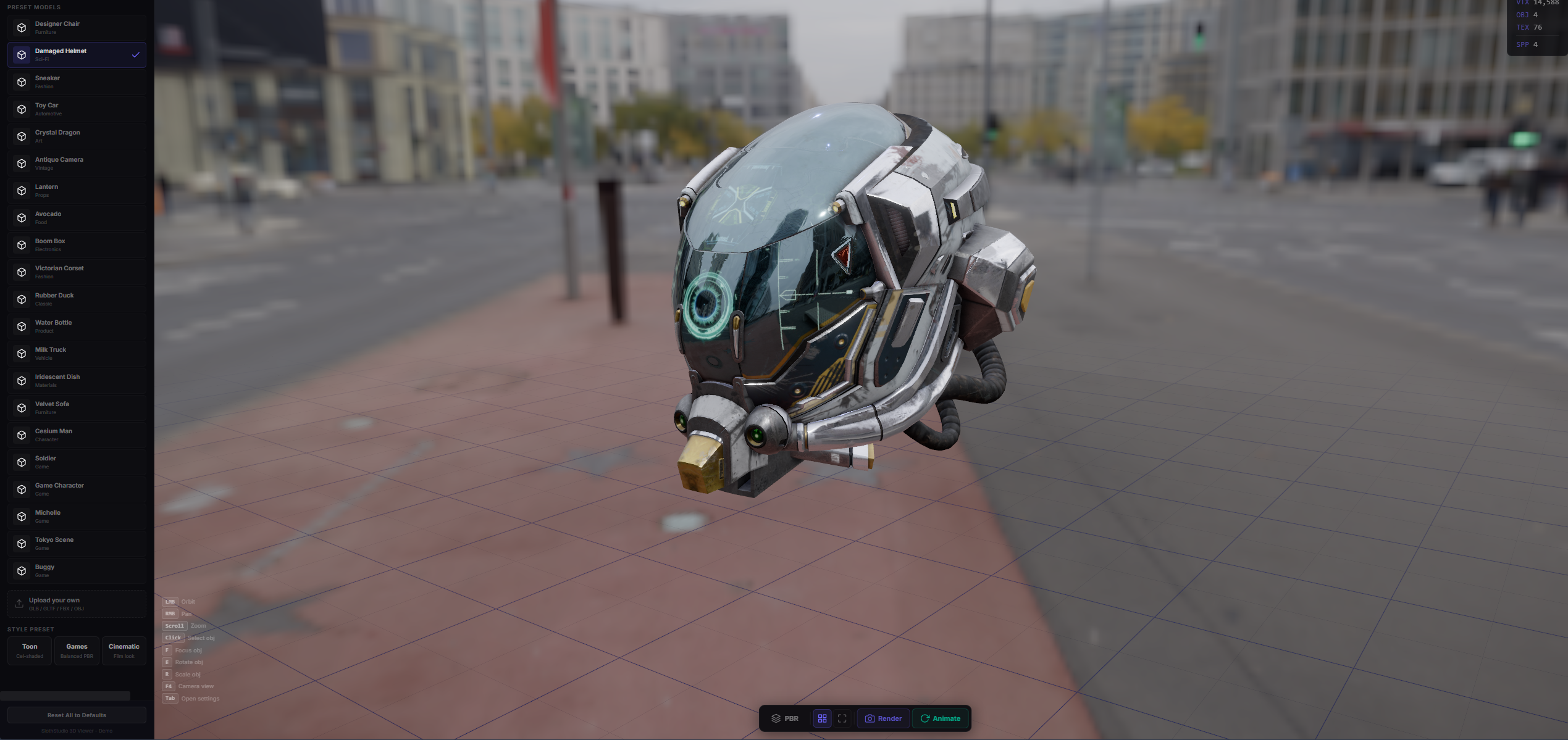
Most product viewers ship one shading mode and call it done. Sloth 3D Viewer exposes six selectable live in the UI — PBR for hero shots, matcap for turntables, normals and wireframe for QA, unlit for UV review, toon for stylised brand work — plus Blender-style camera controls, four-channel PBR materials, hotspot annotations as HTML overlays, and a render engine that captures turntable WebMs via WebCodecs entirely in the browser. No server, no upload, no encoder licence.
A standalone 3D configurator that runs entirely in the browser on React Three Fiber + drei + postprocessing. Colour pickers drive body, accent, and base channels on a live PBR material; the material system switches between Glossy, Matte, Metallic, and Glass without a re-render. Six shading modes are exposed directly in the UI — PBR, Matcap, Normals, Wireframe, Unlit, Toon — so an artist can ship a product page that feels as flexible as a Blender viewport. Hotspot annotations mount as HTML overlays on the model (Visor, Ventilation, Chin Guard, Shell, Retention) via drei's Html. Camera controls mirror Blender: Alt+LMB orbit, Alt+RMB zoom, Alt+MMB pan, with an on-screen camera gizmo and transform gizmos for position / rotation / scale. The lighting panel adds / deletes directional lights with colour and intensity; post-processing (Bloom, Vignette, N8AO, Chromatic Aberration, Brightness/Contrast) is togglable live. Users can upload any GLB/GLTF and the viewer auto-fits bounds, picks an HDR environment matching the asset's average luminance, and exposes real-time stats (tris, verts, meshes, draw calls, textures). A render engine captures turntable animations to WebM via webm-muxer + WebCodecs — no server, no upload, no encoder licence. The architecture diagram below traces the pipeline from a dropped GLB to a downloadable WebM in four stages, and the shading-modes panel shows what each mode is actually for: PBR for hero shots, matcap for turntables, normals and wireframe for QA, unlit for UV review, toon for stylised brand work. I built this because Sketchfab is great but heavyweight, and nothing in the mid-range exposes Blender-style controls on the web.
- Six shading modes selectable live from the UI — PBR / Matcap / Normals / Wireframe / Unlit / Toon
- WebM turntable export via WebCodecs + webm-muxer — captures the framebuffer in-browser, no server, no encoder licence
- Blender-style camera controls — Alt+LMB orbit, Alt+RMB zoom, Alt+MMB pan, plus on-screen camera + transform gizmos
- 4-channel PBR materials (body / accent / base + metalness / roughness / IOR) switching between Glossy / Matte / Metallic / Glass live
- GLB / GLTF drop-in with auto-fit bounds and HDR environment matching the asset's average luminance
- Hotspot annotations mounted as HTML overlays via drei's Html — labels follow the model in 3D
- Live HUD: tris, verts, meshes, draw calls, textures — for poly-budget decisions before export